
The Complete AWS Cloud Migration Roadmap

In recent years, we have seen a lot of businesses moving to the cloud. From small businesses to enterprises, everyone is adopting the cloud. The global cloud market is expected to reach $2.28 trillion by 2030.
In case your organisation is working with legacy systems that have become too expensive to maintain, faces challenges of scalability or simply wishes to adopt cloud-first paradigm, this guide will provide a complete roadmap of moving on to AWS.
We’ll break down complex concepts into easy steps and provide practical advice you can implement immediately.
So without further ado, let’s get started.
Step 1: Understanding Cloud Migration
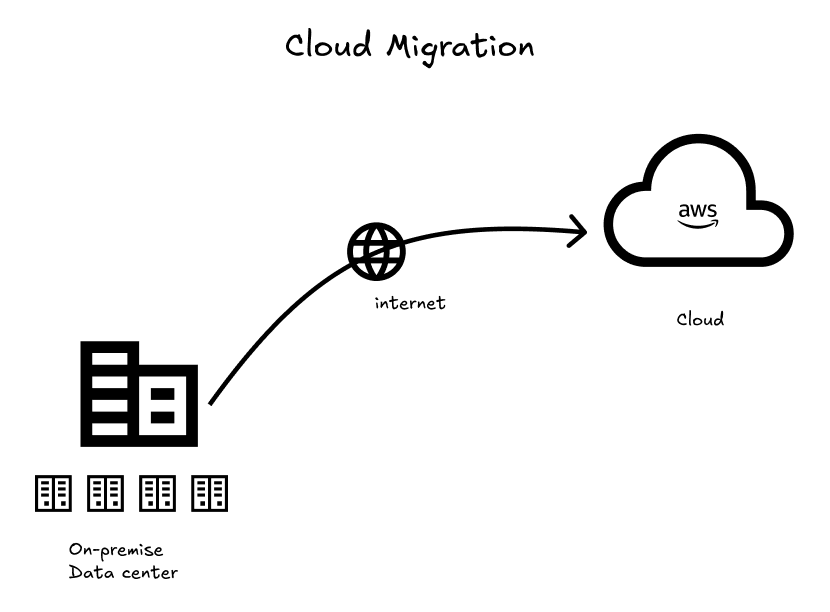
Now, before we take a look into the technical details, it is good to know what cloud migration actually means for your business.
Cloud migration is a process in transitioning your digital assets, applications, databases, and IT processes that were previously found on your on-premises data-center to cloud-based infrastructure. These cloud infrastructure are usually provided by cloud vendors. Big names include AWS, Azure, GCP, etc.
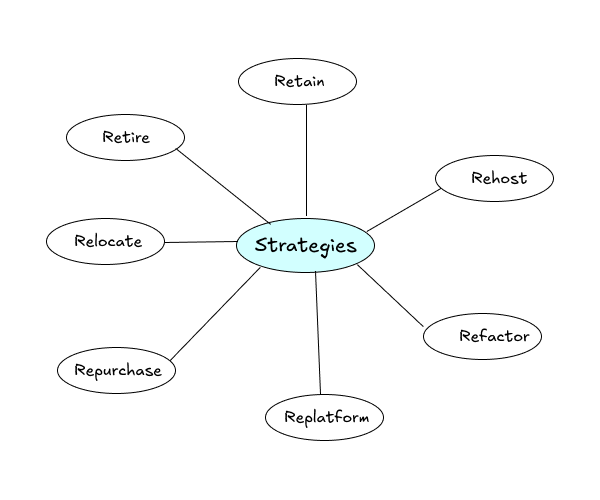
There are several types of cloud migration strategies we can follow:
Rehosting or “Lift and Shift”
Rehosting is simply re-deploying your applications in the cloud without much adjustments. Performs well with applications which do not require immediate optimization.
Re-platforming
It involves making minor adjustments to your applications to take advantage of cloud without changing the core architecture. For example, you might switch from a self-managed database to Amazon RDS.
Refactoring (or re-architecting)
It means redesigning your applications to be cloud-native, taking full advantage of cloud services and scalability features.
Repurchasing
Repurchasing means replacing your existing application with a cloud-based Software-as-a-Service (SaaS) solution. Instead of migrating and maintaining your own system, you subscribe to a managed service that delivers similar functionality. This is commonly seen when companies move from self-hosted email servers to services like Microsoft 365 or Google Workspace, or from custom CRM systems to SaaS platforms.
Retaining
Retaining means you decide to keep certain applications exactly where they are, usually on-premises, instead of moving them to the cloud right away. Not every system needs to be migrated. Some applications may be tightly coupled to physical hardware, subject to strict regulatory requirements, or simply not worth the migration cost at the moment. In other cases, the application may still be performing well and delivering business value without issues.
Retiring
Retiring involves decommissioning applications that are no longer useful or valuable to the business. During pre-migration assessments, many organizations discover redundant systems, outdated tools, or applications that are barely used. Migrating these systems would waste time and money.
A lot of the most successful migrations use a combination of these strategies, depending on each application’s specific requirements and business value.
Step 2: Pre-Migration Assessment
Launching and maintaining any successful cloud migration would include a careful analysis of your current environment.
This is a step that you can not underestimate, but by taking time now, you can save yourself a lifetime and issues further down the road.
To do this, begin by conducting an inventory of all of your IT assets. This does not only mean servers and applications but also databases, network settings, security policies, backup infrastructure and even documentation. It is during this step that many organizations learn things that they do not know. This might include such applications or systems as departments have installed without the IT knowledge.
Record the current performance metrics and dependencies of each application and system as well as its business criticality. A payroll processing application is obviously more important than an in-house application that is used by few people. The given business impact assessment will make you understand which systems should be migrated first and which must be planned with the strongest attention.
Better your planning and assessments are, less you will have risk of downtime and business loss during the migration process.
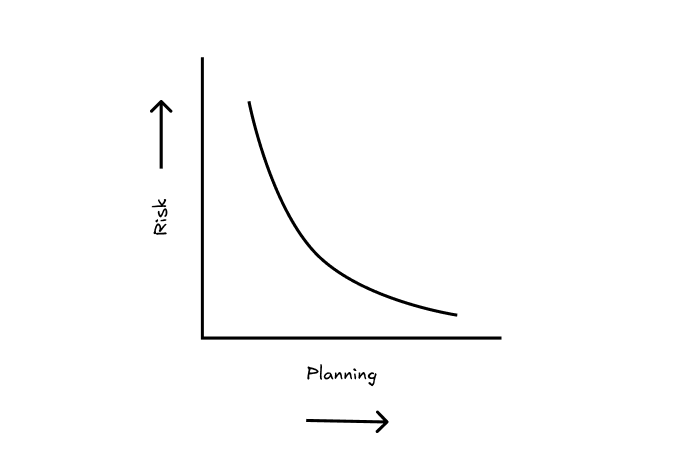
Focus especially on information flows between systems. The truth is that modern applications do not always work in isolation so you need to know about those dependencies in planning how you want to progress your migration. You need to develop a visual map that indicates how data moves in and out of your applications, databases and third party systems.
Compliance should not be bargained upon during this stage of assessment. There are certain rules concerning storage and handling of data in such industries as healthcare, finance, and government. There are many compliance certifications provided by AWS, however, you will have to find out all specifics of requirements regarding your business to plan implementation.
Step 3: Planning Your Migration Strategy
Now that you have assessed and gotten your act together you may devise an overall migration plan that best fits your organizational requirements and limitations.
Start with grouping your applications into waves of migration. The initial release must have shorter dependencies and less important applications that could be used as the training opportunities of your developers. Future waves will be able to address more intensive, company-essential systems as you develop cloud capabilities.
It may be advisable that you start with development environments and test environment before going live with your production systems. This will enable your team to experience AWS services at a less risky environment as well as save costs in the short term and increase developer productivity.
Make a complex schedule that takes into consideration systems dependencies. In case database A is dependent on database B, database B should be migrated first or there should be a way to keep the two databases connected while the migration occurs. Allocate time in your plan to deal with some unforeseen issues and testing.
Before actual migration work begins, you can organize a workshop within your organization to prepare your team for better understanding of migration. After migration, everything will not be same, your business dynamics changes, your team will be affected. So be prepare.
Build your cloud architecture design on this plan. It does not imply that you should settle on all the details but there should be a clear picture of your target state. Things such as high availability, disaster recovery, security, and cost optimization must be considered in the early days as opposed to being an afterthought.
Step 4: Setting Up Your AWS Environment
Properly configuring your AWS environment before beginning migration activities sets the foundation for security, cost control, and operational efficiency.
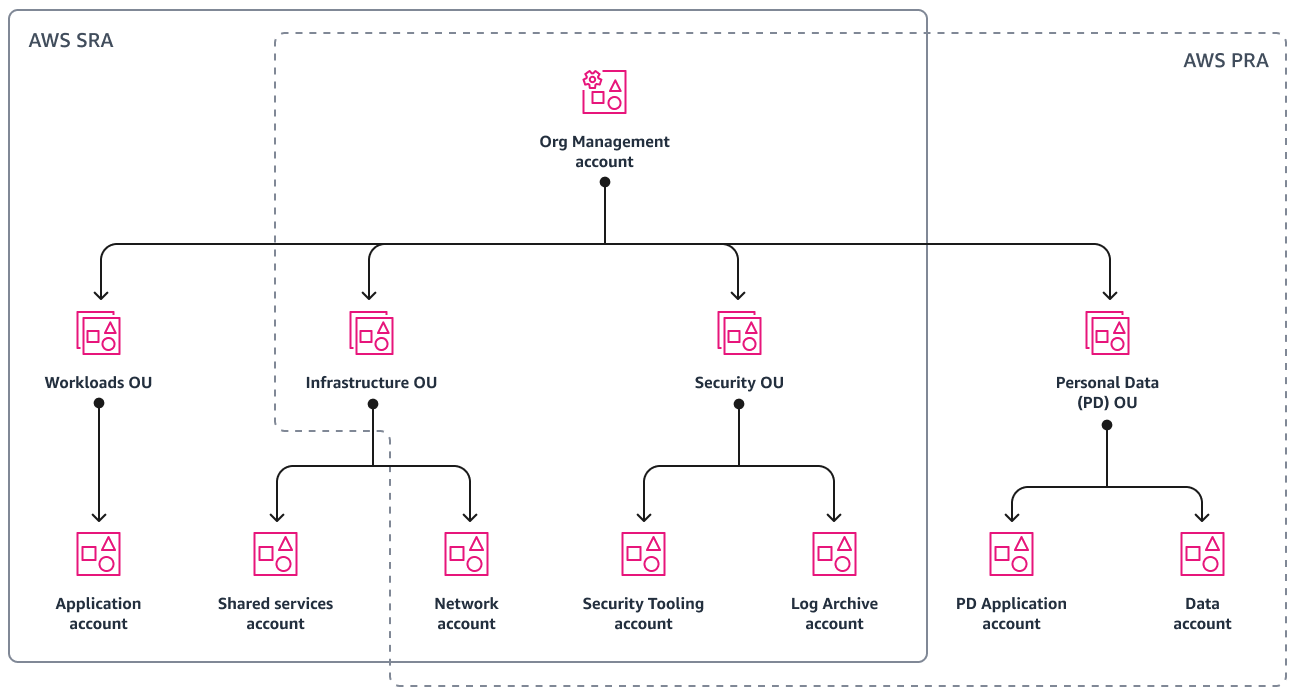
The next step is to use a multi-account strategy with AWS Organization. Even small companies appreciate the benefit of a physically distinct account (Development, Staging, Production) and business units. This segregation enhances security, eases the process of cost apportionment and minimizes the chances of mistaken alterations of production systems.
Security is vital. So start configuring Identity and Access Management (IAM) properly. Use the least privilege principle and only grant privileges to users and applications, just enough privileges to perform their tasks. Design access controls on the basis of roles within your organization and roles.
Install a good logging and monitoring facility at the earliest. AWS CloudTrail is advisable to enable it on every account and monitor API calls and changes. Using cloudwatch, Amazon monitors your applications and resources. The services provide the necessary support in troubleshooting, security-auditing and cost optimization.
Put cost controls in place so that will avoid budget surprises. AWS Cost Explorer and AWS Budgets assist you in keeping a tab on the expenditures and allow you to configure notifications in the event of overspend. You might want to consider using the AWS Cost Allocation Tags to measure expenditure according to project, department or application.
There is some careful planning that needs to be done when it comes to network design, particularly when you have some type of hybrid connectivity to on premise systems. Amazon VPC uses VPN or AWS Direct Connect to connect the isolated network environment created using Amazon VPC with your existing infrastructure in a secure and easy to use way.
It is proposed to begin infrastructure as code application with the help of AWS CloudFormation or Terraform or other popular one. This solution is the reproducibility, version control of your infrastructure and control in any number of environments.
Step 5: Data Migration Strategies
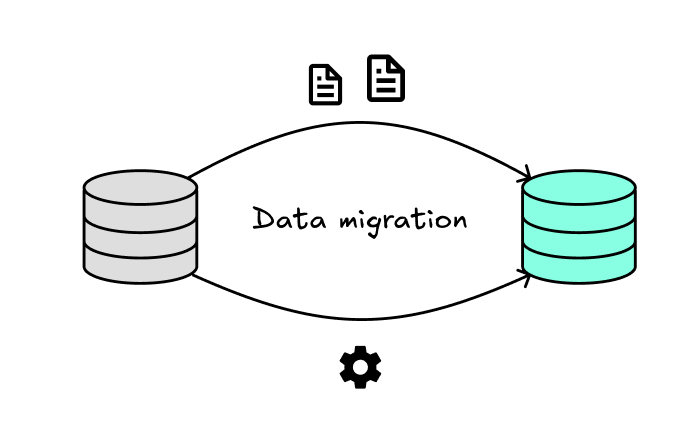
The most demanding and dangerous part of the cloud migration process is usually its data migration. The method of data flow is dependent on issues such as the amount of data to be moved, tolerable downtime and network bandwidth.
Online data transfer may be enough in the case of smaller datasets, or applications that have the potential to afford some outage-style downtime. AWS DataSync can optimize the process of transferring the large amount of information over the internet and has inbuilt optimization and verification processes.
AWS offline data transfer services may also be useful where the data is large or bandwidth is limited. AWS Snowball devices enable you to literally box off terabytes of data in order to ship it out to AWS without incurring internet bandwidth issues. AWS Snowmobile may be utilized in cases when the size of the data is really large, small enough for transfer through the use of a shipping-container-sized device and up to 100 petabytes of information.
Migration of databases is especially important because data has to be kept consistent and downtime must be kept as minimal as possible. AWS Database Migration Service (DMS) allows both homogeneous migrations such as Oracle to Oracle as well as heterogeneous migrations such as Oracle to PostgreSQL. The service supports either one-time migration, or continuous replication to achieve minimal downtime.
Design your data migration steps. First use non-critical data and systems to audit your processes and tools. In cases of important databases, you can resort to a staged implementation: You first install replication to AWS and then redirect the production.
Each migration step should have data validation built into it. Do not think that data has been successfully transferred without checking. Compare record and checksum numbers and sample data between source system and destination system.
Reflect on your migration period synchronization needs of data. Other systems may be software whose run needs to continue over weeks or months, needing bi-directional synchronisation or controlled handling of conflicts.
Step 6: Application Migration Process
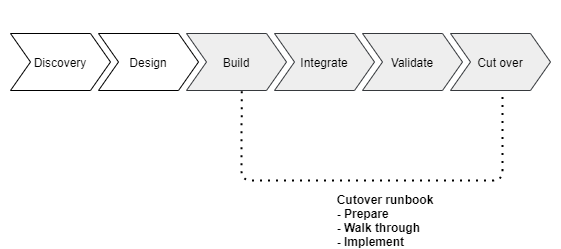
Application migration strategies are very different based on the business need, nature of application architecture, as well as technological stack.
AWS Application Migration Service may help you do this easily when the workloads are appropriate to use lift-and-shift migration, by making real-time copies of your servers in a cloud in AWS. Such a strategy will have minimal alterations to the application, although it may not get the most out of the cloud.
Replatforming strategies are also used frequently in web applications. AWS Elastic Beanstalk offers simplified deployment and management capabilities that may be of interest instead of running your web servers on a virtual machine, or Amazon ECS to run containerized applications.
Cloud application may need more aggressive refactoring of legacy apps. This might include decomposing monolithic applications into microservices, using cloud-native databases or moving some functions to a serverless computing platform with AWS Lambda.
Configuration of the applications is to be given special consideration during migration. Connection strings, paths to files and environment variables usually require modification of the cloud environment. You may consider the use of AWS Systems Manager Parameter Store or AWS Secrets Manager to address secure configuration management.
Step 7: Security and Compliance Considerations
Security in cloud is based on a shared responsibility model. AWS secures the infrastructure, you secure the application, the data andalse.
